For macOS & iPhone

Rest your eyes.Feel the difference.

Gentle break reminders and guided eye exercises — beautifully designed, quietly intelligent, and entirely on your device.

Free to try · No account required · Nothing leaves your Mac

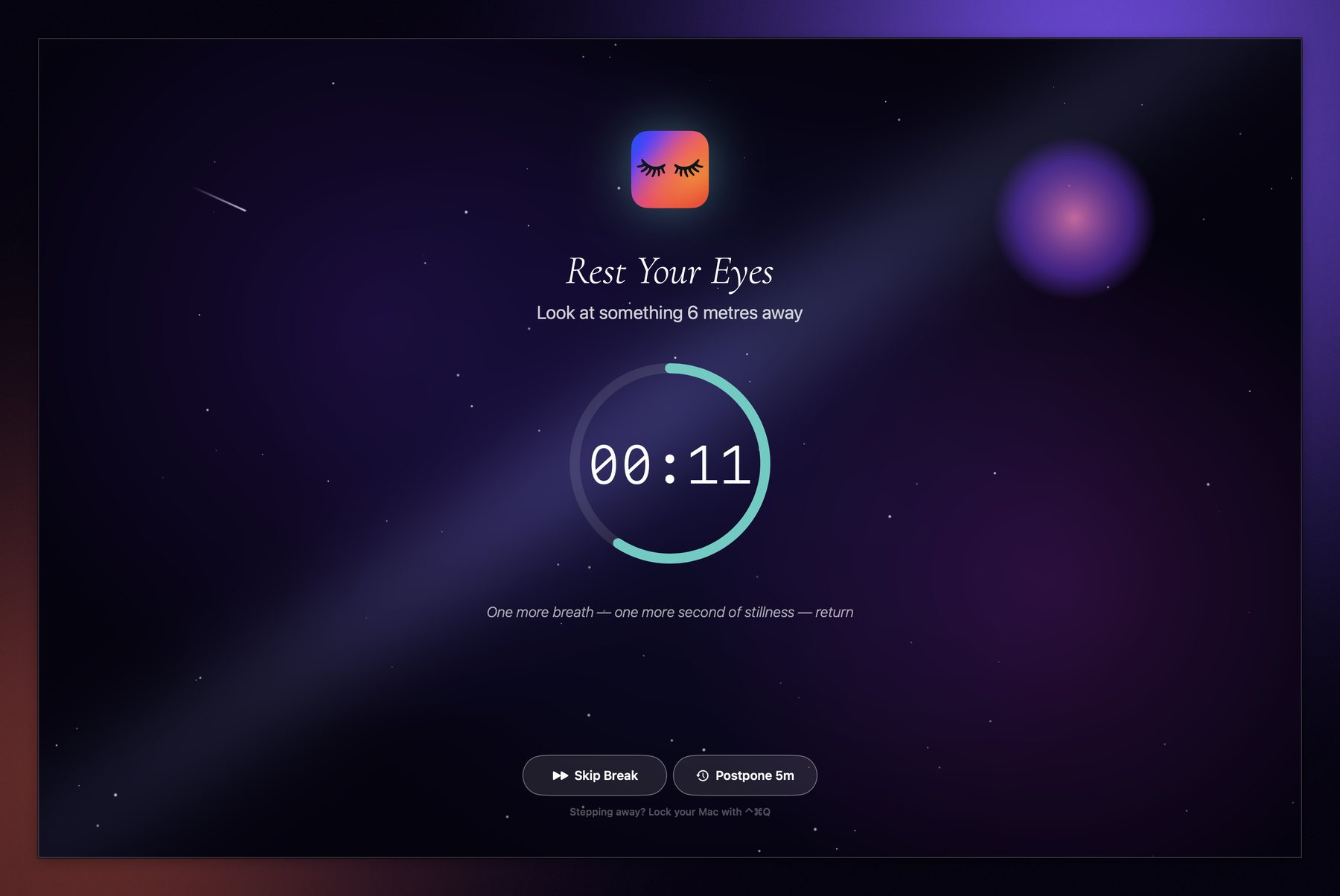
A SmilingEyes break overlay filling a Mac screen, counting down over a calm scene

Scroll

How it fits your day

The pause

A break that feels like a breath

Your screen fades into a quiet, full-screen moment — a timer, a gentle prompt, and nothing else. Skip it or postpone it whenever you need to; it never fights you.

The intelligence

It knows when to stay quiet

Breaks are held back during calls on FaceTime, Zoom, Teams or Meet, while a video is playing, and whenever macOS Focus or Do Not Disturb is on.
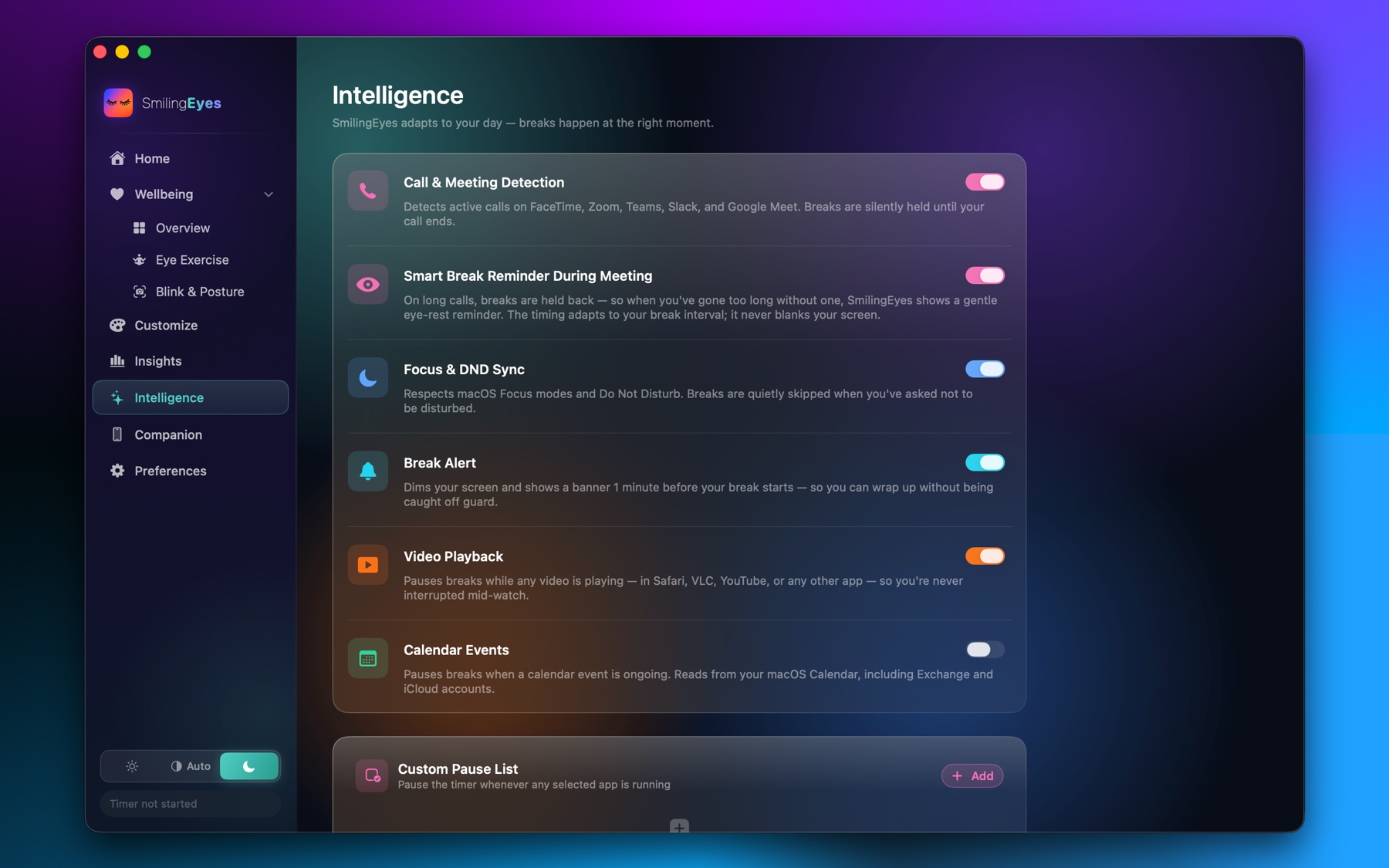
Intelligence settings listing call, video and Focus detection
The exercises

A minute that actually helps

Guided smooth-pursuit and focus drills — figure-eight tracking, palming, near-and-far — animated so your eyes have something real to follow.

The progress

Habits you can actually see

Compliance, streaks, screen time and break trends — a clear picture of how your eyes are doing, stored privately and synced through your own iCloud.
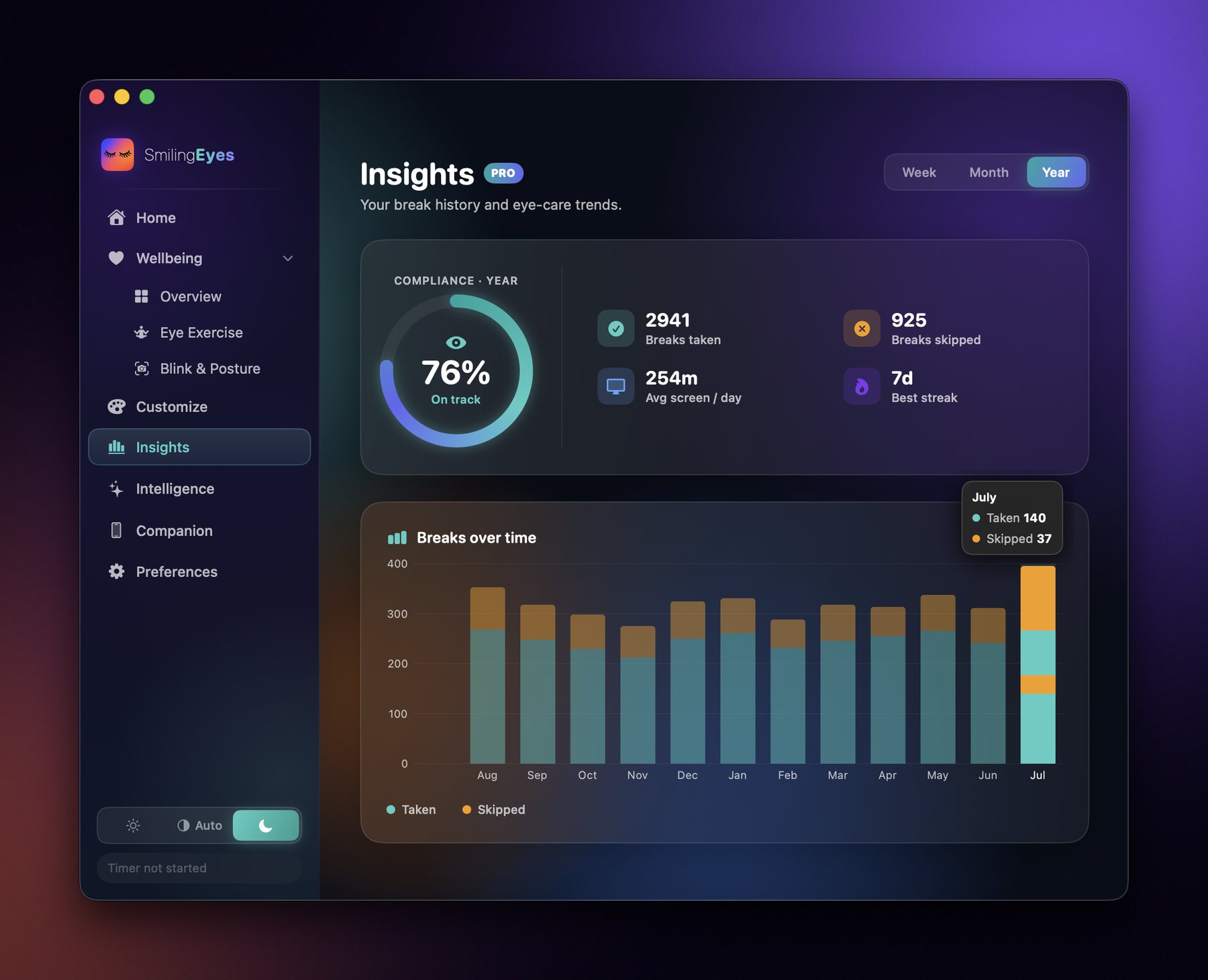
The Insights dashboard, showing break compliance, streaks and weekly trends
The companion

Your phone joins in

When your Mac takes a break, your iPhone can too — mirroring the timer and, if you want, holding back the apps that would pull you straight back to a screen.

Everything included

Gentle break reminders

20-20-20 rests and micro-breaks that fit into your day instead of interrupting it.

Blink & posture awareness

Optional on-device camera checks nudge you when you squint or slouch.

Guided eye exercises

Figure-eight, palming and focus drills, beautifully animated.

iPhone companion & sync

Streaks and stats stay in sync through your own private iCloud.

Insights over time

Watch your habits improve, week over week, with private wellness stats.

Private by design

Blink and posture checks run entirely on-device — camera frames are never recorded, uploaded or shared. Your stats sync through your own iCloud account, which means we can't see them either.

Read the privacy policy →

Simple, honest pricing

Free forever for the essentials. Upgrade whenever you want more.

Free
$0
No account, no time limit
  • 20-20-20 break reminders
  • Menu bar timer & themes
  • Posture & eye reminders
  • Today + 7-day summary
Get started
7-day free trial Pro
$24.99/yr
or $5.99/mo · cancel anytime
  • Everything in Free
  • Blink & posture detection
  • Guided eye exercises
  • Full Insights & risk score
  • iPhone sync & companion
  • Firm & locked break discipline
Start free trial
Lifetime
$34.99
One-time · own it forever
  • Everything in Pro
  • Pay once, no renewal
  • All future Pro features
Buy once

Prices shown in USD — your local App Store price may vary by region and currency. Subscriptions auto-renew unless cancelled at least 24 hours before the end of the period; manage or cancel anytime in your App Store account settings. The 7-day free trial applies to new annual subscribers. Lifetime is a one-time purchase.

Questions, answered

Is SmilingEyes really free?

Yes — the core 20-20-20 break timer, menu bar controls, themes, and basic reminders are free forever, with no account and no time limit. Pro adds camera-based blink & posture detection, guided eye exercises, full Insights, iPhone sync, and firm/locked break discipline.

Do I need to create an account?

No. SmilingEyes never asks you to sign up or log in. Your data stays on your Mac, or syncs through your own private iCloud account if you enable it — we never see it.

Does the camera feature record or upload anything?

No. Blink and posture detection runs entirely on-device using Apple's Vision framework. Camera frames are analysed in real time and are never recorded, stored, or sent anywhere.

Can I cancel or switch plans anytime?

Yes. Subscriptions can be managed or cancelled anytime from your App Store account settings, and you'll keep Pro access until the end of the current billing period. Prefer not to subscribe? The Lifetime option unlocks everything with a single one-time purchase.

What does the iPhone companion do?

It mirrors your Mac's break timer and stats on your phone, and can optionally hold back distracting apps while your Mac is on a break — synced privately through your own iCloud account.

What do I need to run it?

macOS 14 Sonoma or later on Mac. The iPhone companion is optional and works alongside it.

Look up. Look far.
Breathe.

Requires macOS 14 Sonoma or later